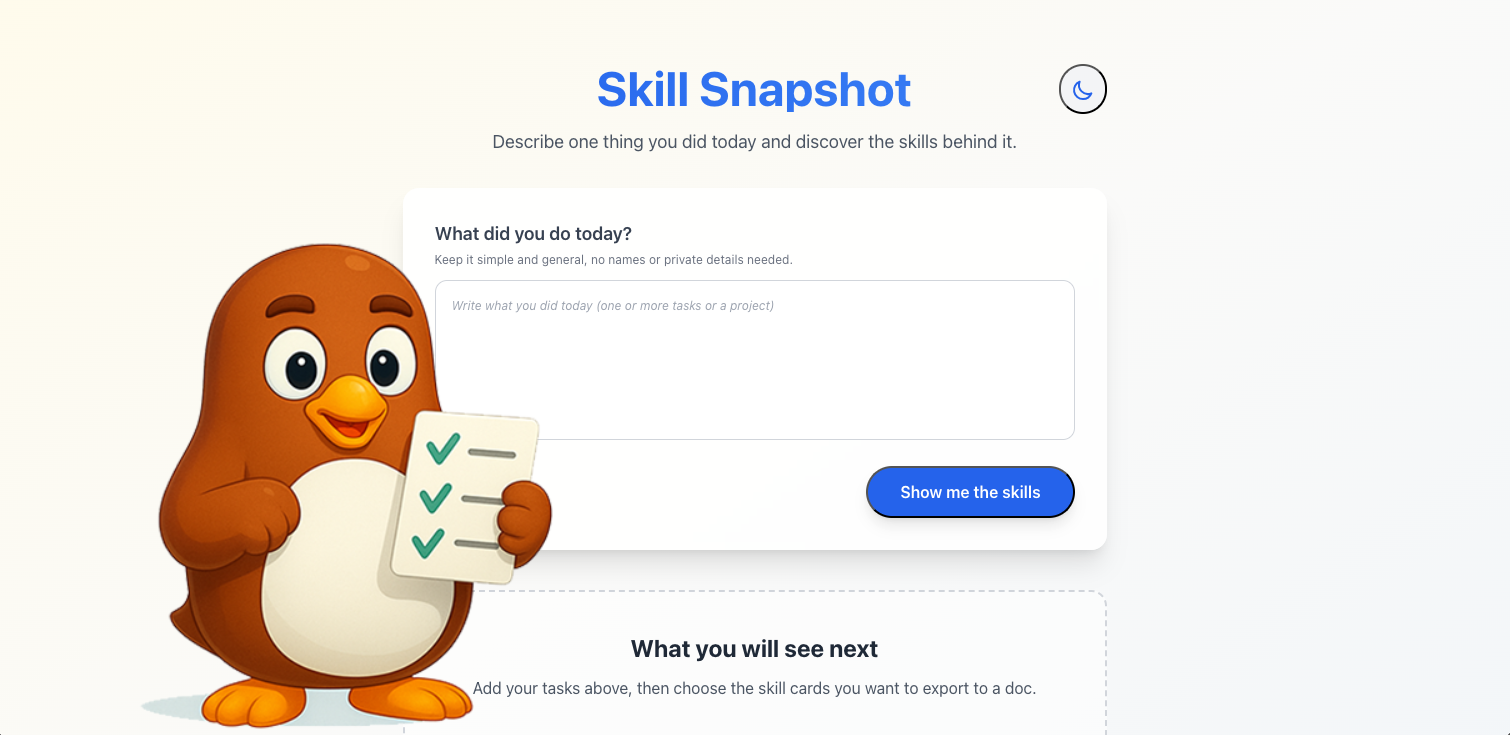
Introducing Skill Snapshot: One Task In, A Whole Career Story Out
You have done a lot more than your resume, LinkedIn, or self-review show.
You solved bugs no one else could untangle.
You designed campaigns from scratch.
You coached teammates through tough moments.
But when it is time for a 1:1, interview, or performance review, your mind goes blank.
That is the problem we built Skill Snapshot to solve.
What Is Skill Snapshot?
Skill Snapshot is a zero-friction way to see the skills behind your day-to-day work—even if you never create an account.
You go to:
You paste in one task or accomplishment, in your own words. For example:
“Created a new graphic for a campaign we are running for a product launch, used Photoshop and Illustrator to create the graphic and logo.”
You click Add & Analyze.
In a few seconds, you see:
- A Clear project-style title for what you did (for example, “Product Launch Campaign Visuals”).
- Associated Roles that match this kind of work (for example, Graphic Designer, Marketing Designer, Visual Designer).
- Skill Cards grouped by category (Technical, Communication, Leadership, and more).
- Short Descriptions for each skill that explain what you actually did in plain language.
You can scan the results and say, “Oh. This was not just ‘I made a graphic.’ This shows Graphic Design, Adobe Photoshop, Adobe Illustrator, Visual Communication, and more.”
And you can get all of that without logging in.
Why We Built It
We kept hearing the same patterns from professionals, students, and managers:
- “I Know I have been working hard, but when someone asks what I did this quarter, I freeze.”
- “My Resume just says ‘Marketing Specialist.’ It does not capture the actual projects I work on.”
- “My Team downplays their work in 1:1s. I know they do more than they are saying.”
Most tools only help once you already know how to describe your achievements. Skill Snapshot starts earlier, at the “I just did this thing today” level.
With Skill Snapshot, we want to:
- Make It easy to see the skills and roles inside one task.
- Give You language you can reuse in reviews, interviews, and portfolios.
- Give You a taste of how ViaSkill can turn ongoing work into a living career record.
If you never sign up, you still walk away with clearer language for your work.
If you do sign up, it gets even better.
How Skill Snapshot Works (No Account Needed)
Using Skill Snapshot as a guest is simple:
-
Describe One work-related task.
- “Helped A customer fix a billing issue.”
- “Led A kickoff meeting for our new product launch.”
- “Automated A weekly report that used to be manual.”
-
Click Add & Analyze.
- Skill Snapshot generates a project title, associated roles, and grouped skills with descriptions.
-
Review Your cards.
- See Technical, Communication, or Leadership skills clearly separated.
- Notice Roles you might not have considered before.
You can keep this on screen while:
- Updating Your resume or LinkedIn.
- Preparing For a 1:1 or self-review.
- Getting Ready for an interview.
If that is all you need, you can close the tab and come back any time.
But if you want to save what you discovered, that is where the full ViaSkill app comes in.
What Happens When You Create A ViaSkill Account
When you create a free ViaSkill account and choose to save a Skill Snapshot:
- Your Snapshot becomes a project entry in the
Project & Skill Tracker. - The Skills and roles from your Snapshot are stored as part of your career history.
- You can combine multiple Snapshots into a bigger project view, or keep them as smaller “daily wins.”
Once your work is inside ViaSkill, you can use the rest of the platform:
1. Project & Skill Tracker: Build A Living Record
Saved Skill Snapshots feed directly into your Project & Skill Tracker.
Over time, you can:
- See Patterns across your work (for example, you are constantly doing stakeholder communication, or you are always the one fixing process gaps).
- Group Related tasks into bigger projects.
- Track Both technical and “invisible” work: mentoring, conflict resolution, documentation, and more.
This becomes your career receipts system—no more trying to reconstruct a year of work from memory.
2. Resume Generator: Real Projects, Not Vague Bullets
Because your Skill Snapshots and projects are structured, the Resume Generator can:
- Pull Relevant projects and skills for a specific job description.
- Turn Your real work (from the Tracker) into tailored resume bullets.
- Help You avoid generic phrases like “Team player” and instead show concrete outcomes.
You are not starting from a blank page; you are drawing from logged, categorized work you already did.
3. Portfolio Generator: Show, Do Not Just Tell
Your saved Snapshots can also power the Portfolio Generator inside ViaSkill:
- Highlight Projects you are proud of, using the skills and roles the system already inferred.
- Generate Content for case studies, project descriptions, and “What I learned” sections.
- Create Different portfolios for different audiences (for example, job search vs freelance clients) using the same underlying work history.
A single Skill Snapshot about “Product Launch Campaign Visuals” can turn into:
- A Project In your tracker.
- A Bullet On your marketing or design resume.
- A Section On a live portfolio page.
Who Skill Snapshot Is For
Skill Snapshot is intentionally lightweight. You do not have to be “ready for a full system” to use it.
Students And Bootcamp Grads
You can paste in:
- Class Projects.
- Group Assignments.
- Internship Tasks.
Skill Snapshot helps you name:
- The Tools you actually used.
- The Skills you demonstrated.
- The Roles your work aligns with.
Later, when you create a ViaSkill account, those same entries can feed your first resume and portfolio drafts.
Early And Mid-Career Professionals
You can capture:
- Daily Tasks that would otherwise evaporate.
- Cross-Functional Work (for example, collaborating with sales or product).
- Invisible Labor like onboarding teammates or smoothing conflicts.
Saving Skill Snapshots into ViaSkill turns those moments into:
- Concrete Talking points for 1:1s and calibration meetings.
- Evidence For promotion packets and pay conversations.
- Source Material for resumes targeted at new roles.
Managers And Team Leads
You can ask your reports to:
- Run One or two tasks through Skill Snapshot before 1:1s.
- Bring Their cards as a starting point for discussing progress and growth.
Over time, saving these into ViaSkill helps you see:
- Who Is taking on leadership or mentoring work.
- Where Skills are concentrated or missing on your team.
- How To advocate for your people with specific examples instead of vague praise.
Why Start With One Task?
We could have forced everyone straight into a full ViaSkill onboarding: upload a resume, connect data, set up projects.
Instead, we chose to start with one task.
One task is:
- Less Intimidating.
- Easier To remember.
- Enough To show you that your work contains more skills and roles than you might realize.
From there, you decide:
- Do You want to use this just as a quick reflection tool?
- Or Are you ready to build a full system that tracks your work over months and years?
Skill Snapshot is the front door.
The rest of ViaSkill is the house, with rooms for Project Tracking, Resumes, Portfolios, and deeper Skill insights.
How To Try Skill Snapshot Today
You can try it in under a minute:
- Go to Skill Snapshot.
- Paste In one work-related task you did recently.
- Click Add & Analyze.
- Review The suggested title, roles, and skills.
If you like what you see, create a free account and choose to save your Snapshot. It will flow into your Project & Skill Tracker, ready to power your resumes and portfolios inside ViaSkill.
Your work already tells a bigger story than your job title.
Skill Snapshot is here to help you see it—
and ViaSkill is here to help you use it.
Start with one task today, and let us help you unlock the rest.